
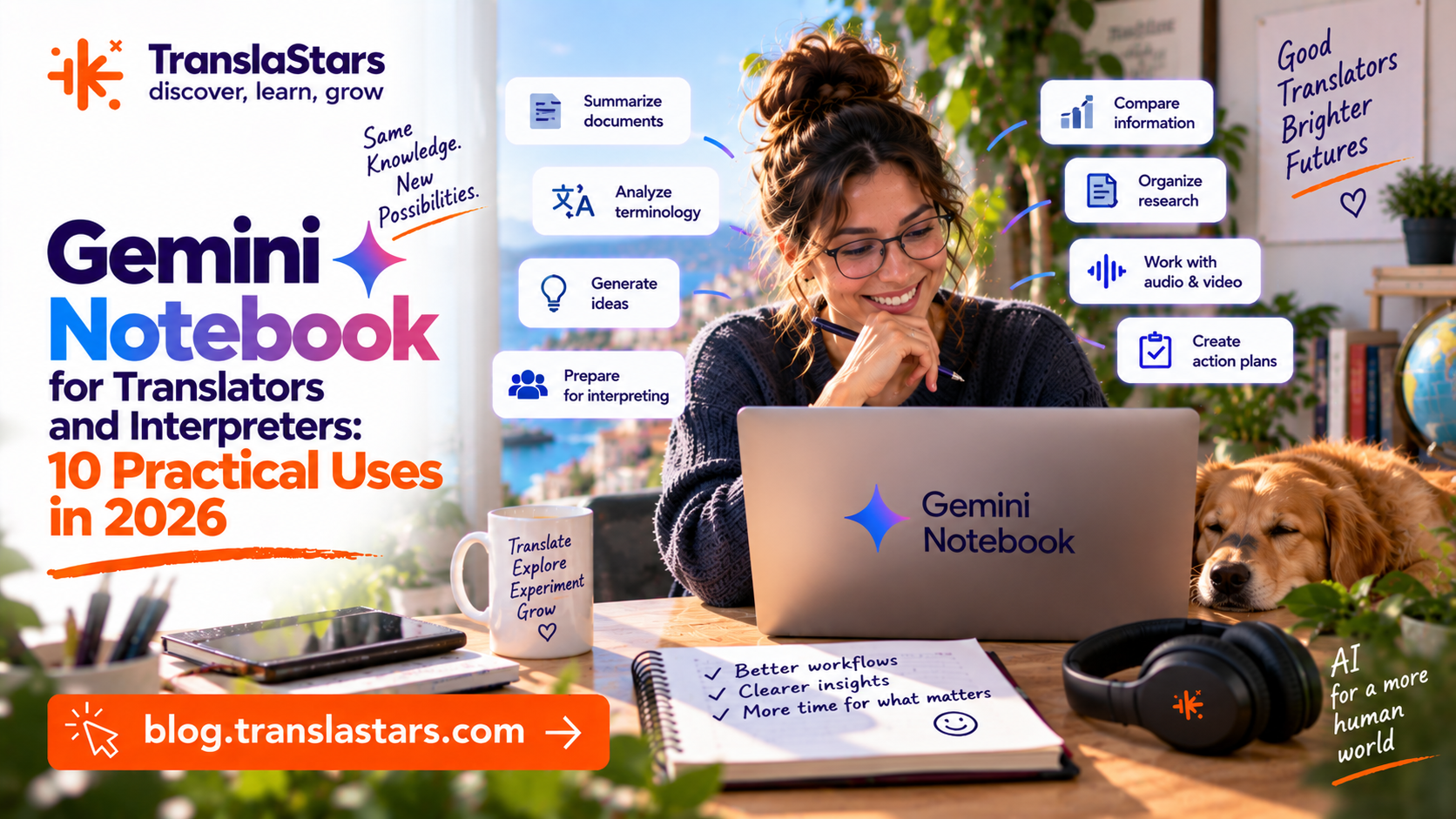
Gemini Notebook is the Google AI research assistant that language professionals keep discovering - and for good reason. Where general-purpose chatbots answer from everything they have ever seen, Gemini Notebook works like a private research desk: you upload the documents, the recordings and the web pages that matter for a specific project, and every answer, summary or glossary it produces is grounded in that material, with citations that take you straight back to the source passage. For translators and interpreters, whose entire value proposition rests on accuracy, context and terminology control, that design is a genuine game changer.
This is a deep, practical guide written for working linguists. We will look at what Gemini Notebook actually is under the hood, how to structure notebooks for client work, seven concrete workflows for translators, three preparation systems for interpreters, a full sample workflow you can copy for your next project, and - just as importantly - the limits, risks and professional ethics you need to manage when you introduce AI-assisted research into your practice.
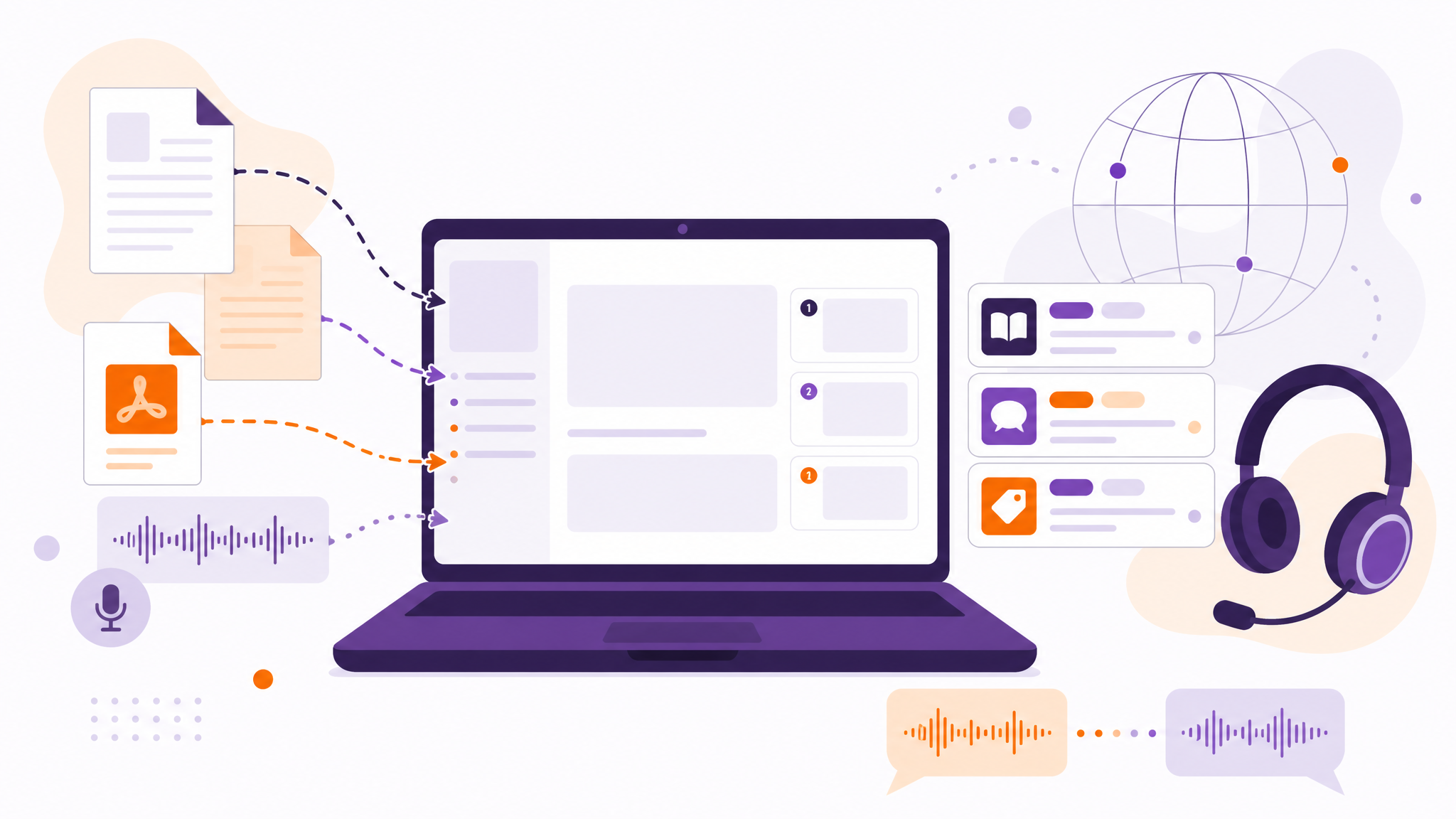
Figure 1. Documents, recordings and web pages go in; every answer comes back grounded in the sources, with a citation to the passage it came from.
In This Article
1. What Gemini Notebook Is (and Why It Matters)
Gemini Notebook began life as Project Tailwind, an experimental tool announced by Google Labs at Google I/O in May 2023, and was publicly released later that year. The product idea was unusual from day one: instead of an open-ended chatbot, Google built a source-grounded notebook - an AI that reads only what you give it. Gemini Notebook is built on Google's Gemini family of models, but the model is only half the story. The other half is retrieval: when you ask a question, the system searches your uploaded sources, pulls the relevant passages, and generates an answer from those passages alone. Every claim carries a numbered citation, and clicking it jumps to the exact location in the original document. That is a fundamentally different workflow from copying text into a general chatbot and hoping for the best.
How a notebook is organised
Each notebook is a self-contained workspace with three parts: your sources, a chat panel, and your notes. Sources are the raw material - the documents and media Gemini Notebook can read. You can upload PDFs, Google Docs, Google Slides, text files and pasted text, pull in Google Drive files, and add content from the web by URL, including public YouTube videos. Gemini Notebook also accepts audio files, which it transcribes and adds to the notebook as searchable text. That single capability - turning spoken material into a queryable transcript inside your project workspace - matters enormously for interpreters, as we will see later. Sources can be added and removed at any time, and each one can be toggled on or off, which means you can narrow a question to a single speaker's biography or a single session's slide deck.
The chat panel is where you interrogate that material. Because the model is constrained to your sources, questions that would be hopelessly vague for a general chatbot become precise instruments: "List every acronym in the conference agenda and spell out what it stands for", or "Extract all product names mentioned in session 3 and give me one line of context for each." The notes panel is where you capture the results. Gemini Notebook lets you save any answer as a note, and - critically - saved notes can later be added back as sources themselves. Your briefing document from last year's edition of a conference can become source material for this year's notebook, which is how preparation compounds over time.
The Notebook Guide and study outputs
Beyond conversational Q&A, Gemini Notebook includes a Notebook Guide: with one click it analyses your sources and generates structured learning artefacts. Depending on the material and your settings, the guide can produce an overview of the notebook, a study guide, a list of frequently asked questions, a briefing document, a timeline of events and other structured outputs. These are not generic boilerplate - they are generated from the actual content of your sources, which makes them surprisingly useful as a first pass before you build your own materials. For a translator starting a new medical project, the guide's FAQ over the reference literature can reveal which concepts the documentation itself considers difficult. For an interpreter, the briefing document over the event's papers can become the skeleton of your preparation notes.
Free tier and Gemini Notebook Plus
Gemini Notebook has a genuinely usable free tier that allows you to run several notebooks in parallel with a generous per-notebook source capacity - enough for day-to-day professional experimentation and for smaller projects. When you need more, Gemini Notebook Plus raises the limits substantially: more notebooks, more sources per notebook, shared notebooks for teamwork, usage analytics and priority access. Gemini Notebook Plus is available to subscribers of Google's premium AI plans and, in many regions, to Google Workspace customers, so professionals who already pay for a Google AI subscription should check whether it is already included. Exact quotas change over time as Google expands the product, so check the current limits on the official Gemini Notebook pages before you plan a workflow around them - but the important structural fact is stable: the tool scales from a free personal research assistant to a team-grade knowledge workspace.
Why it matters for linguists: general chatbots answer from everything they know. Gemini Notebook answers from what you uploaded - and shows you where it found it. For terminology control, client-specific style and event-specific preparation, that is the difference between a gamble and a workflow.
2. 7 Uses for Translators
Translators live inside documents: briefs, style guides, reference material, previous translations, glossaries, correspondence. Gemini Notebook is built to sit on top of exactly that pile of files and turn it into an organised, queryable knowledge base. These seven uses are the ones working translators report as the highest-value entry points.
1. Terminology extraction
Upload the client's reference material - corporate websites, product documentation, previous translations, official glossaries - and ask Gemini Notebook for a terminology list with definitions and context. A prompt such as "Extract every technical term in these sources, give a one-sentence definition for each and show the sentence where it appears" produces a structured inventory in minutes. You are not asking the AI to invent a glossary from its training data; you are asking it to mine the documents the client actually uses, which is exactly where their terminology lives. The result is a ready-made glossary draft that you then verify, prune and format. Do not skip that last step: machine extraction still needs a human terminologist's eye to catch duplicates, near-synonyms and context-dependent choices.
2. Style guide mining
Every agency translator knows the pain of a 40-page style guide full of rules that only surface after a mistake. Upload the style guide, the client's brand guidelines and a sample of their published translations, then ask Gemini Notebook to summarise the rules you must follow - and to detect contradictions between what the style guide says and what the client's own published texts actually do. The chat format makes follow-up trivial: "Which rules apply to headings?", "What is the client's policy on anglicisms?", "Show me three examples of passive voice from their published texts." You compress hours of reading into a ten-minute briefing session, and because every claim is cited, you can check each rule in its original context before relying on it.
3. Domain research before you translate
Medical, legal, technical and financial documents arrive full of concepts you must understand before you can render them responsibly. Gemini Notebook turns the client's own documentation into a tutor. Upload the source document plus any reference material you have, and ask for explanations of complex concepts in plain language, with the original passage cited so you can read it in context. You can even instruct the model to explain a concept as if you were a colleague with general translation training but no specialised degree in that field - the model will calibrate its explanation accordingly. This is research, not outsourcing: you still decide how a concept maps into the target language, but you make that decision from a position of understanding rather than guesswork.
4. Consistency checks against the glossary
Once you have translated a document, you can use Gemini Notebook as a second pair of eyes. Create a notebook containing the client's glossary, your draft translation and the source text, then ask: "Compare my draft against the glossary. Flag every term where my translation does not match the glossary entry, and show me the glossary entry and the sentence in question." Because answers are grounded and cited, the flagging is traceable - you can see precisely which sentence deviates from which glossary entry. This does not replace dedicated QA tools or a human reviewer, but as a first-pass consistency sweep it is fast, cheap and surprisingly thorough. Many translators run it before delivering, precisely because glossary drift is one of the most common - and most avoidable - quality complaints.
5. Drafting alternatives for creative and marketing translation
Marketing and creative translation rarely has a single right answer, and finding the right register is often a matter of generating options and then judging them. Gemini Notebook is excellent for this because you can feed it the client's brand voice documents, previous campaigns and the source text, then ask for alternative renderings of a tricky headline or tagline - constrained to the tone evidenced in their own materials. "Here are three headlines the client has used before. Propose five English options for this Spanish headline that match that voice, and explain the trade-off of each." You remain the creative director: the model proposes, you select, adapt and own the result. What you gain is speed in exploring the option space and a lower risk of accidentally drifting out of the client's established voice.
6. Summarising reference material
Long project briefs, thick tender documents, regulatory updates, meeting minutes from the client side - translators are regularly handed far more context than they can read in full. Gemini Notebook compresses it: upload everything and ask for a one-page project briefing, a list of deliverables implied in the correspondence, or a summary of what changed in the latest version of a regulation. Keep the summary in the notebook as a note, and consult it while working instead of re-reading the source pack. Because the summary is cited, the moment a detail matters - a deadline, a name, a rate condition - you jump to the original passage rather than trusting a paraphrase. The summary is a map; the sources remain the territory.
7. Learning from your own past projects
Your own translation history is a dataset, and Gemini Notebook can interrogate it. Upload a selection of your past translations with their review comments, and ask for patterns: recurring corrections from this client, terms you translate inconsistently, stylistic habits that crept in under deadline pressure. The output is a personal, evidence-based development report - far more useful than generic advice about what translators should improve, because it is generated from your actual work and the actual feedback of the people who reviewed it. Combined with the note-as-source feature, this becomes a lifelong professional corpus: every project adds material, and the notebook grows into a personal knowledge base of your practice.
Golden rule: Gemini Notebook is a research assistant, not a translator. Draft with AI, verify with sources, and deliver with your professional judgment. The tool narrows the search space; you make the call.
3. 3 Uses for Interpreters (Event Prep)
Interpreters prepare constantly, and preparation is where Gemini Notebook shines brightest. In simultaneous interpreting, the quality ceiling of your booth performance is largely set before the meeting starts: by how well you know the speakers, the topics, the acronyms and the argumentative structure of the event. Gemini Notebook systematises that preparation and - through its audio capabilities - even lets you train your ear on the material itself.
1. Event material digestion
Upload the event agenda, speaker biographies, slide decks, position papers and previous editions' reports, then ask for a structured briefing: who speaks, about what, in which order, and with which key terms. A prompt like "Build me a per-session briefing: speaker, role, main message, likely terminology, and any acronyms I must know" turns a chaotic folder of files into a clean preparation document in minutes. Because the event materials are the only source, the briefing reflects what will actually be discussed - not what a general model assumes such conferences discuss. You then read the briefing against the original documents, marking the spots where your own knowledge fills gaps the materials leave open.
2. Terminology glossaries for the booth
The same notebook generates the working glossary you will actually use during the assignment. Ask for a per-session list of names, acronyms, technical terms and organisational jargon, each with a line of context from the source: "Extract every proper noun, acronym and technical term from these materials, organised by session, with the sentence where each appears." The output becomes the printed or on-screen glossary for the booth - and because it was generated from the event's own documents, it contains the terminology the speakers will actually use, in the combinations they actually use it. Refine it the day before, add your own equivalents in your working languages, and you walk into the booth with a map of the terminological terrain instead of a vague hope that nothing unexpected comes up.
3. Practice with audio overviews
Here is where Gemini Notebook does something no other research tool does: it turns your preparation materials into audio. The Audio Overview feature generates a conversation - two synthetic hosts discussing your sources like an informal podcast - from the documents you upload. For interpreters this is practice gold. Use it to absorb the material away from the screen: listen to the generated discussion of the conference papers while commuting, and your ear starts building familiarity with the names and concepts days before the event. Then go one step further and practise actively: play the audio and shadow it, or interpret it into your working language as consecutive practice. The topics are real, the terminology is real, and the pressure-free environment lets you rehearse delivery, reformulation and coping strategies on material that will genuinely resemble what you face in the booth. Audio Overviews are generated from your sources, so the more complete and representative your uploaded material, the more useful the audio - treat the first listen as a quality check on both the tool and your own preparation.
Notebooks for recurring clients and remote interpreting
The real payoff arrives with repetition. Create one notebook per client, per recurring meeting series or per annual conference, and preparation compounds: every new edition adds sources, and the accumulated notebook becomes an institutional memory that no single human can carry. For remote interpreting - where you may serve the same client's internal meetings week after week - this is transformative. Each meeting's documents join the notebook, the briefing for the next meeting is generated from everything that came before, and the glossary grows organically in the client's actual terminology. What used to be a frantic scramble before each session becomes a quiet ritual: sources in, briefing and glossary out.
A concrete rhythm for a conference interpreter: Days before, create the notebook and upload every session's materials; generate the master briefing and per-session glossaries. The day before, refine the glossaries with your own equivalents and listen to the audio overviews of the trickiest sessions once, critically, noting where the generated audio simplifies or skips content you will need. Morning of the event, a final listen on the way to the venue, and the booth glossary loaded on your tablet. After the event, save your own notes into the notebook so next year's edition starts from a stronger baseline.

Digital Technology & AI for Interpreters
The interpreter-facing preparation flow: glossaries, briefing documents and practice systems for the booth.
4. A Sample Workflow
Tools matter less than systems. The difference between playing with Gemini Notebook and benefiting from it is a repeatable workflow, and the one below is the pattern that professional users converge on. Adapt it to your specialisation, but keep the architecture: one notebook per client or project, everything uploaded, three core outputs generated, and verification built into every step.
1. Create one notebook per client or project. Resist the temptation to keep one giant notebook for everything. A notebook is a context container, and its value comes from coherence: client A's terminology should never be polluted by client B's. One notebook per client, per long-term project or per major event. Sources accumulate, context compounds, and the notebook gradually becomes the knowledge base of that entire relationship.
2. Upload everything relevant. Briefs, style guides, glossaries, reference translations, correspondence that defines the task, recordings of previous similar events (where you have the rights to use them). The quality of every output - summaries, glossaries, audio - is bounded by the quality and completeness of the sources. A notebook with three documents produces thin results; a notebook with the full documentary record produces a briefing that genuinely reflects the project. Audio files and YouTube links are welcome additions: Gemini Notebook transcribes them, so spoken context enters the same searchable space as your documents.
3. Generate the three core outputs. For every project, produce the same trio: (a) a project briefing summary - scope, stakeholders, terminology hotspots, deadlines - extracted from the full documentation; (b) a terminology list with definitions and context, which becomes your working glossary; and (c) an audio overview for review, so you can absorb the material passively during travel or exercise. Generating the same three artefacts every time creates a habit, and habits are what make AI workflows survive contact with a busy calendar.
4. Work with citations open. Whenever a fact, term or deadline matters - and especially when you are about to put it in front of a client - open the citation and verify it in the original source. The citation system is not a decoration; it is the mechanism that keeps grounded AI honest. Professionals report that the habit of checking citations is what separates safe AI-assisted work from reckless AI-assisted work. If a claim cannot be traced to a source in the notebook, treat it as unsupported, regardless of how confident the answer sounds.
5. Archive and reuse. Before closing a project, ask the notebook for a lessons-learned summary: what terminology decisions were made, what sources proved most useful, what the client's reviewer corrected. Save it as a note - or export it to your own knowledge management system. Next year's similar project starts not from zero but from a distilled record of this one. Over time, this archive becomes a genuinely proprietary professional asset: a corpus of your own decisions, retrievable in seconds.
5. Limits and Professional Ethics
Gemini Notebook is a powerful assistant, and precisely because it is powerful, professionals need to be clear-eyed about where it stops. Grounding reduces hallucination risk dramatically, but it does not eliminate it - and the ethical obligations of a language professional do not disappear because a tool is convenient. This section is the one to read twice.
Confidentiality and data terms
Your first duty is to the confidentiality of client material. Before uploading anything, confirm that you are authorised to use the tool for that content, and understand the data terms of the account you are using - Google's handling of Gemini Notebook content differs between consumer accounts and Workspace or education accounts, and terms evolve as the product develops. For sensitive projects, the safe paths are: use the client's own approved AI environment, use an account whose terms you have verified in writing, or stick to manual preparation. No glossary, however elegant, is worth a confidentiality breach. When in doubt, ask the client - many organisations now have explicit AI policies, and the question itself signals professionalism.
Accuracy: grounded does not mean infallible
Gemini Notebook can still misread a source, flatten nuance or summarise imprecisely. A PDF with complex layouts, scanned pages or unusual characters can be transcribed imperfectly before the model ever sees it, and a summary - no matter how fluent - is always an interpretation of the material. Citations exist precisely because you are expected to check them. Treat every generated claim as a lead to verify, not a fact to trust. The professional stance is not scepticism about the tool; it is verification as a default behaviour: the model proposes, the linguist disposes.
It is not a translation engine - and not a substitute for your skills
Gemini Notebook is designed for research, preparation and learning, not for producing deliverable translations. For actual translation, use your normal tools and workflows. The danger of the tool is not that it will translate badly - it is that its fluent, well-cited outputs can create a false sense that the linguistic work is done. It is not. Choosing the right equivalent for a term, calibrating register, preserving legal force, capturing cultural nuance: these remain irreducibly human judgements, and they are exactly what clients pay for. Gemini Notebook raises the floor of your preparation; it does not raise the ceiling of your competence. Only deliberate practice and domain knowledge do that.
Audio quality and the sound of a machine
Audio Overviews are genuinely impressive - the synthetic hosts sound natural, and the conversational format aids retention - but they are generated speech, not professional audio content. Use them for review, practice and familiarity; do not distribute them as client deliverables or present them as human-produced analysis. And listen critically: a generated discussion that skips a key nuance is a reminder that the audio is a digest, not the source. For practice purposes that is fine - interpreters rehearse on all kinds of material - but keep the original documents at hand for anything that matters.
Prompt engineering is now a professional skill
The quality of Gemini Notebook outputs depends heavily on the quality of your instructions, which makes prompt engineering a genuine professional skill for linguists - as real as file naming conventions or CAT tool shortcuts. Vague questions produce vague answers; precise, structured prompts produce precise, structured outputs. Specify the format ("a table with three columns"), the scope ("only session 2 materials"), the perspective ("as a briefing for a simultaneous interpreter") and the constraints ("do not include content that is not cited in the sources"). This is teachable, improvable and increasingly expected - which is exactly why AI fluency courses for language professionals now treat prompting as a core competence rather than an optional extra.
The professional stance: AI tools are force multipliers for preparation and research. The judgement, accuracy and delivery remain yours - and that is exactly what clients pay for. Use the machine to see further, not to think less.
6. How to Start Today
The best way to understand Gemini Notebook is not to read about it - it is to give it a real project and watch what happens. Start small, start this week, and build the habit before you need it under deadline pressure.
- Create your first notebook with a real project's materials. Not a test folder - the actual briefs, glossaries and references of work you are doing now. Relevance is what makes the experiment honest.
- Generate a terminology list and compare it with your own. Where it matches your glossary, you have confirmation; where it differs, you have a research question. Both outcomes are valuable.
- Try the Audio Overview on a document you know well, and listen critically. You will immediately sense what the feature is good for - and what it is not.
- Build the interpreter workflow for your next event: sources in, briefing and glossary out, audio overviews for the commute. One event is enough to feel the difference in booth confidence.
- Keep learning AI workflows deliberately. Tools evolve monthly, and the professionals who thrive are the ones who schedule learning instead of hoping it happens.
If you want to go further, TranslaStars has built a full curriculum around exactly these workflows - grounding AI tools in the realities of professional translation and interpreting, with prompt engineering taught as a core linguistic skill.
Want more AI workflows for language professionals? Explore the TranslaStars Courses, find your next role on the TranslaStars Jobs Board, and hear more AI use cases on TranslaStars Audio.