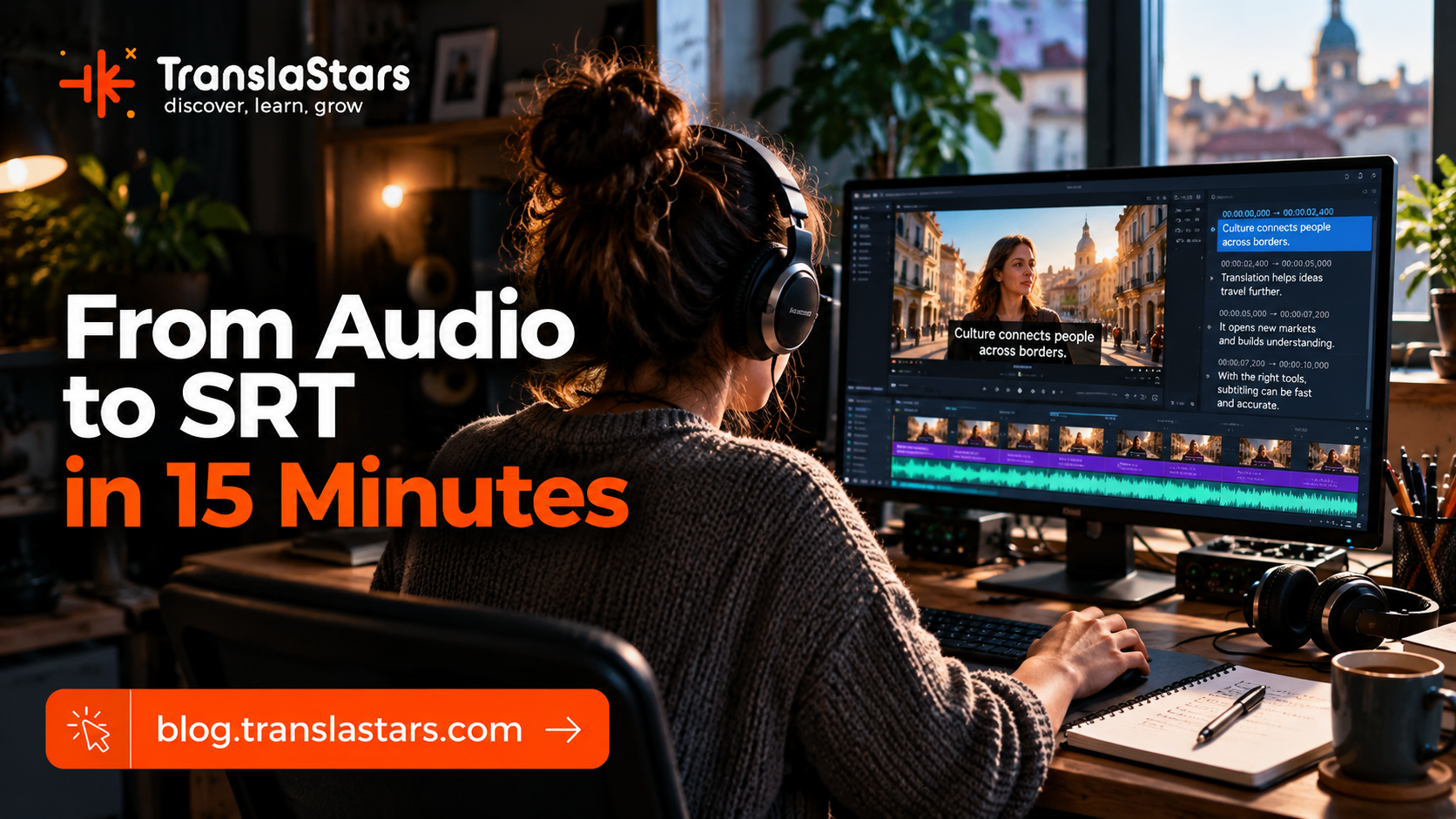
You can get a subtitle file out of a video in about fifteen minutes. Feed the audio to a speech-to-text engine, let automatic segmentation cut it into cues, export SRT, done. We do exactly that, and the file you get is real. It is also not finished.
This article shows the work instead of the promise. Below you will see four cues that an automatic pass produced from one of our own course recordings, the twelve cues they should have been, and the whole list of corrections between the two. We also gave the same four cues to a language model, and its answer is published here word for word. Same audio, same time codes, same job. It is the pass in the middle that decides whether a viewer can actually read what was said.
The short version: the machine writes down the words, and the subtitler decides when each line appears, how long it stays, where it breaks and how much text a reader can absorb before it disappears. Fifteen minutes gets you the transcript. The rest gets you subtitles.
In This Article
- The Pipeline, Step by Step
- The Rules the Machine Does Not Know
- A Real Fragment: Four Cues, 58 Seconds
- The Corrections I Had to Make
- What the Corrected File Looks Like
- What a Language Model Does With It
- Voices Off Screen: the Rule That Needs an Ear
- The Errors That Always Show Up
- The House Case: TranslaStars Audio
- The Fifteen-Minute Claim, Honestly
- Learn the Craft, Not Just the Button
- Frequently Asked Questions
1. The Pipeline, Step by Step
An audio-to-SRT job has five steps. Four of them are mechanical, and they are the four that any tool will do for you:
Figure 1. The five steps of an audio-to-SRT job. Steps 1 to 4 are the part automation covers: they are fast, they are cheap, and they produce a file. Step 5 is the part that decides whether the file can be read.
- Get the audio. An audio file, a video file, or the audio track of a recording. In this article it is the recording of a live TranslaStars subtitling session.
- Transcribe it. A speech-to-text engine turns the audio into text with time codes. This part works well most of the time, and it is also where every error in the rest of the file is born.
- Segment it. The text has to be cut into cues: what appears on screen, and from when to when. Automatic tools tend to offer two extremes, and the house case below shows both of them on real material: one cue per sentence, or one cue per word. Neither is a subtitle.
- Export the SRT. Plain text, numbered cues, time codes, one or two lines of text. Purely a formatting exercise, and the easiest step of the five.
- Correct it by hand, then QC it. Reading speed, line length, timing gaps and overlaps, punctuation, names, speaker identification and italics. This is the pass this article is about.
The fifteen minutes. Steps 1 to 4 are the fifteen minutes, and they are real. They produce a subtitle file. Step 5 is what turns that file into subtitles, and it is not measured in minutes: it is measured in corrections per cue.
2. The Rules the Machine Does Not Know
Automatic segmentation optimizes for one thing: covering the speech. Subtitling optimizes for the reader. That gap is where every correction lives, and these are the numbers professionals work with:
Figure 2. The working numbers of subtitling: two lines per cue, 42 characters per line as the common guideline, 15 to 20 characters per second with 20 as the adult ceiling, one second minimum on screen, and about two frames between consecutive cues.
Two of those rules deserve a comment, because they are the ones beginners break first.
Reading speed is the one that rules the others. If a subtitle carries 40 characters and the ceiling is 20 characters per second, it has to stay on screen for at least two seconds. From that single constraint come condensation, line breaking and half the stylistic rules of the profession. The instructor states the ceiling in the same session this article works from: "The character per second rate should be 20 at the most. This is 21" - and 21 is the number that turns red in the software and stops a submission in its tracks.
A character is everything. Letters, commas and spaces all count, which is why the counting feels so harsh the first time. In the course that is said in one sentence: "a character in a subtitle is everything. It's a letter, but it's also a comma, it's a space." Practical consequence: one line of 28 characters reads better than two lines of 14, and a word you can replace with a shorter synonym is a word worth replacing.
3. A Real Fragment: Four Cues, 58 Seconds
The fragment below is not a reconstruction. It comes from the caption file generated automatically for session 1 of our course How to Create Error-Free Subtitles, recorded on 18 October 2022. We took four consecutive cues in which the instructor is explaining exactly the character-count rules quoted above, kept their original time codes, and did not retype a single word. This is the raw file:
1
00:54:54.000 --> 00:55:05.000
I just to make sure everyone knows a character in a subtitle is everything it's a letter, but it's also a coma, it's a space, everything gets counted as a character.

2
00:55:05.000 --> 00:55:15.000
So, if this is more than 42, which is a common guideline for for the max maximum characters per line.

3
00:55:15.000 --> 00:55:31.000
You would have to break it differently. So, the way you would have to break this one, it would be something like this, again, you need to see whether this works, or you would have to break it like this.

4
00:55:31.000 --> 00:55:52.000
And then this becomes a new supply in 1965 during diplomatic reception in Moscow. So it really depends on what, how, how your characters, count how your how your character count is in this specific time, which seems a long one, I don't know.
Figure 3. The raw fragment, as the platform's automatic captions produced it: 4 cues, 58 seconds of audio, 00:54:54 to 00:55:52. Numbers and time codes as generated; no editing of any kind.
Read as text, it looks harmless. Measured against the rules in Figure 2, it is five separate violations:
- 709 characters delivered in four cues. Each cue carries a paragraph.
- One line of 241 characters in the last cue, nearly six times the 42-character ceiling.
- Cues lasting 10, 11, 16 and 21 seconds. The ceiling is 6 to 8 seconds.
- No gap at all between cue 2 and cue 3: one ends at 00:55:05.000 and the next starts in the same frame.
- A reading speed of 15, 10.1, 12.6 and 11.5 characters per second. All comfortably under the ceiling, and that is exactly the trap: the cue was so long that even a 241-character line looked unhurried. The moment you split it, the arithmetic changes.
This is what automatic segmentation buys you, and it is worth being precise about what it has done well here: every word is in the file, in the right order, with time codes that cover the audio. As a transcript with time codes, it is a fine transcript. As subtitles, nobody could read it.
4. The Corrections I Had to Make
Same four cues, same audio window, corrected by hand. The work splits into five groups, and here is the whole list, in the order you meet them in the file.
4.1. Timing and segmentation
- Split the 241-character cue into four cues. A cue can hold 84 characters at most, two lines of 42, so that paragraph has to become four subtitles.
- Split the other three as well. The 165, 101 and 202-character cues became three, two and three cues. Four became twelve.
- Open a two-frame gap where cue 2 ended and cue 3 began in the same frame. Consecutive subtitles need roughly 80 milliseconds between them, or the change of text is invisible to the eye.
- Re-allocate the time inside each original window rather than re-timing the audio from scratch: each new cue gets a share of the window proportional to the text it carries.
- Check the duration rules after splitting. The twelve corrected cues run from 3.04 to 6.5 seconds on screen, all inside the one-to-eight-second band.
4.2. Line length and line breaks
- Two lines maximum, and only when they are needed. Where the machine delivered a single line of 241 characters, the corrected file never goes above 39 characters per line, and only four of the twelve cues need a second line at all.
- Break on grammatical units. "a character in a subtitle" stays whole on one line: you do not leave "in a" hanging at the end of a line waiting for its noun.
- Keep technical terms intact. "characters per line" stays on one line. That is why the corrected version reads "a common guideline for the" and then "maximum characters per line", instead of breaking inside the term.
4.3. Reading speed
- Re-check the speed after every split. The raw cues looked safe only because they stayed on screen for up to 21 seconds. The corrected file runs at 6.6 to 14.6 characters per second, and every cue is inside the limit.
- Do not stretch a cue to fill its window. When the text is condensed, the subtitle gets the time its reader needs, not the time the speaker took. What is left over stays as a gap.
4.4. Punctuation and text
- Punctuate the sentences. The machine wrote one long stream of words with a full stop only at the end of each window. Sentences have to end where the speaker ends them, and question marks are not decoration.
- Spelling: "coma" is a comma. The engine heard the word correctly and spelled the medical term. Nothing in the file flags it, and only a human reader catches it.
- Keep numbers as figures. "42" stays "42"; "forty-two" would cost four characters in a cue where every character counts.
- Remove the filler and the false starts: "I just to", "for for", "max maximum", "the way you would have to break this one, it would be something like this", "I don't know". That one group of fixes removes 163 characters, 23% of the fragment: 709 characters in the raw file, 546 after the pass.
- Flag what you cannot verify. The machine wrote "a new supply in 1965". The context is an exercise in re-breaking a subtitle that reads "In 1965, during a diplomatic reception in Moscow", so the word is "subtitle", not "supply". I flagged it for a listen-back rather than inventing a fix, and when the same text went to a language model, the model kept the word exactly as it was, as you can see in its answer below. Guessing at this point is how a wrong word reaches a client's screen.
Figure 4. Characters on the longest line of each cue, raw and corrected, on the same scale. The four automatic cues sit far to the right of the 42-character ceiling; the twelve corrected cues all sit inside it, and only four of them need a second line.
5. What the Corrected File Looks Like
Here is the same audio window after the pass. Twelve cues instead of four, 23% fewer characters, all of them inside the rules:
1
00:54:54,000 --> 00:54:57,963
Just to make sure everyone knows
a character in a subtitle

2
00:54:58,043 --> 00:55:01,596
is everything. It's a letter,
but it's also a comma.

3
00:55:01,676 --> 00:55:05,160
It's a space. Everything is
counted as a character.

4
00:55:05,000 --> 00:55:11,500
So, if this is more than 42, which
is a common guideline for the

5
00:55:11,580 --> 00:55:14,623
maximum characters per line.

6
00:55:15,000 --> 00:55:20,943
You would have to break it differently.

7
00:55:21,023 --> 00:55:25,899
Again, you need to check whether

8
00:55:25,979 --> 00:55:31,160
this works, or break it like this.

9
00:55:31,000 --> 00:55:37,367
And then this becomes a new
subtitle: In 1965, during the

10
00:55:37,447 --> 00:55:40,910
diplomatic reception in Moscow.

11
00:55:40,990 --> 00:55:47,022
So it really depends on how
your character count works

12
00:55:47,102 --> 00:55:52,240
in this specific time, which
seems a long one.
Figure 5. The corrected fragment: the same audio window, 00:54:54 to 00:55:52, cut into twelve cues. Maximum 39 characters per line, 3.04 to 6.5 seconds on screen, 6.6 to 14.6 characters per second, 80 milliseconds between consecutive cues.
One honest note about the time codes. The windows here are re-allocated from the machine's own cue boundaries, because that is what you do in the first pass: you keep the audio covered and you redistribute the text inside it. The last step of a real job is running the video once with the sound on and nudging the in and out times by frames, which takes an ear, not a script. In-time can usually move two or three frames; out-time can be extended as far as the next line allows.
6. What a Language Model Does With It
Automatic segmentation is not the only shortcut on the table. You can also hand the transcript to a language model and ask it to produce the subtitles. We did exactly that with the same four cues, using a normal prompt: keep the original time codes, maximum two lines per cue, maximum 42 characters per line, maximum 20 characters per second, remove filler words and false starts, fix punctuation and spelling, return the SRT only.
This is its answer, verbatim. Not a character has been changed:
1
00:54:54.000 --> 00:55:05.000
Just to make sure everyone knows,
a character in a subtitle is everything.

2
00:55:05.000 --> 00:55:15.000
It's a letter, but it's also a comma,
it's a space, everything gets counted.

3
00:55:15.000 --> 00:55:31.000
So if this is more than 42, which is
a common guideline for the maximum

4
00:55:15.000 --> 00:55:31.000
characters per line, you would have
to break it differently.

5
00:55:31.000 --> 00:55:52.000
So the way you would have to break
this one, it would be something like this.

6
00:55:31.000 --> 00:55:52.000
Again, you need to see whether this works,
or you would have to break it like this.

7
00:55:31.000 --> 00:55:52.000
And then this becomes a new supply in 1965
during a diplomatic reception in Moscow.

8
00:55:31.000 --> 00:55:52.000
So it really depends on how your
character count is in this specific time,

9
00:55:31.000 --> 00:55:52.000
which seems a long one, I don't know.
Figure 6. The language model's answer, reproduced exactly as it came back. The request asked for deepseek-chat through the DeepSeek API on 21 September 2026, temperature 0.2; the whole call took about 0.4 seconds.
The text work is better than the machine's, and it is worth saying so plainly: it punctuated the sentences, it turned "coma" into "comma", it cleaned "for for the max maximum" into "for the maximum", and it removed the false start at the beginning of the first cue. It even respected the line limit, down to hitting exactly 42 characters on its longest line. As a text cleanup, that is a good pass.
Then look at the time codes, because that is where the job is. Nine cues, but only four distinct time windows: eleven pairs of cues share the same start and end time, so several subtitles would sit on screen at exactly the same moment. Not one duration changed. The longest cue still holds the screen for 21 seconds, and every one of the nine cues runs past the 8-second ceiling. Reading speed falls to 1.8 to 7.6 characters per second, far below the 15 to 20 a reader is used to, because the same text is now spread over the windows the speaker originally used.
Figure 7. The longest cue in each of the three files. The language model split the text without touching the timing, so the duration problem survived its pass intact. Only the hand pass re-allocates each window across the new cues.
Why it happens is worth understanding, because it is not a defect of one model. I asked it to keep the original time codes, and it kept them. A language model works on words: it can split a paragraph into two readable chunks, and it does that well. Cutting a time window into two new windows, with a gap between them and a reading time that matches the text, is a different operation, and it needs the audio timeline, the frame rate and the rules. That is the operation a subtitling tool performs and a chat prompt does not.
And the error it cannot see, it did not fix. The model left "a new supply in 1965" exactly as the speech-to-text engine had written it. A model works from the text it is given, so an error that is already in the text is not an error it can notice. It can only reproduce it, neatly punctuated.
Where each tool actually helps. Speech to text gives you the words. A language model gives you cleaner words. Neither gives you the timing, and the timing is what a subtitle is: text that appears when it is needed, stays long enough to be read, and leaves before it turns into a habit. Keep both tools in the pipeline, and keep the pass at the end of it.
7. Voices Off Screen: the Rule That Needs an Ear
The last category cannot be automated at all, because it is not a formatting decision. It is a decision about what the viewer can see.
In subtitling, italic type marks speech that is not part of the scene: a documentary narrator we never see, an unspoken thought, song lyrics, a voice coming out of a television, a radio or a phone. Everything the audience hears but cannot attribute to a person on screen.
The trap is the step right after that rule. In our own SDH course it is stated in a single line: italicize a character who is off the scene, "not merely off camera". Someone in the next room who shouts "Enter" and walks into shot a second later is part of the scene, so that line is not italicized. The camera simply was not pointing at them yet. And when two people speak in the same cue, you separate them with a dash per speaker, not with italics.
No speech-to-text engine can make that call, and no automatic quality report will flag it. The language model above did not add a single italic marker either, because nothing in the text tells it what the viewer can see. It is one more reason the pass exists.
8. The Errors That Always Show Up
Automatic transcription fails in patterns. These examples are real, taken from our own recordings, with the time code of the cue each one appears in:
| What the machine wrote | What was actually said | Type of error |
|---|---|---|
| "a review of traveler transfer stars" (00:09:00) | TranslaStars | Proper name |
| "close factions and sth sth means of vital for the Deaf and Hard of Hearing" (00:16:52) | closed captions and SDH, which means subtitles for the Deaf and Hard of Hearing | Acronym |
| "that goes in it Alex" (session 2, 00:56:17) | that goes in italics | Technical term |
| "the company that deed dubbing" (00:05:56) | did dubbing | Verb |
| "probably, I don't know 2014 I think 2015" (00:07:00) | a date the speaker herself is unsure about | Numbers |
| "certain tightening script translation" (00:16:52) | script translation; the rest is noise | Garbage |
Five of those six errors are things a viewer would notice immediately: our own brand name, the acronym of the course's subject, a technical term, a date. Which means the engine is reliable on ordinary running speech and unreliable on exactly the material that carries the meaning.
A checklist that catches most of it:
- Search the file for your own brand name and the client's. If the engine mangled TranslaStars in our own recording, it will mangle the names that matter to your client.
- Read every number twice. Dates, amounts, percentages, years, quantities. A wrong number is the error that reaches a medical or legal audience, and no spell-checker sees it.
- Build a short glossary for each job. Acronyms, product names, people's names and the terminology of the subject matter, then check the file against it item by item.
- Treat any phrase that means nothing as an alarm. "certain tightening script translation" is not a sentence. It is a signal to go back to the audio. Do not guess, and do not leave it in.
- Drop the fillers. "And, yeah, so", "you know", false starts and repetitions are noise on screen, not fidelity.
One rule of thumb. The engine is at its best in the middle of ordinary sentences and at its worst in the words that carry the most weight: names, acronyms, numbers and terminology. Those are the ones to check by hand, every time.
9. The House Case: TranslaStars Audio
We run this pipeline on our own material, which is why the numbers in this article are not hypothetical. TranslaStars Audio turns books and course material into audio, and each track carries a subtitle file, the written summary built from that transcript, and the metadata that describes it. The catalogue is public, and so are the files, so anyone can check the two examples below.
Both come from the same automatic step, and they show its two failure modes at once:
- Too fine. In one Portuguese track, the segmentation produced 943 cues for a single episode: an average of 4.9 characters per cue, 903 of them under one second, the shortest at 0.025 seconds, and a peak of 46.2 characters per second. That is not a subtitle file. It is the transcript cut up word by word.
- Too coarse. In one English track, the same step went the other way: 73 cues averaging 65 characters, with 52 of the 73 above the 42-character line limit and the longest cue left on screen for 10.53 seconds.
Two extremes, same automated step, same catalogue. It is the clearest argument we have for the hand pass: segmentation is a guess about rhythm, and rhythm is what makes a subtitle readable.
The criterion we apply is the one in this article. The automatic file is raw material, a transcript with time codes, and it is also the source of everything built on top of it. That is why its errors matter more than they look: if the transcript says "supply" where the speaker said "subtitle", the mistake travels into the summary, the description and the metadata of the release. Checking the transcript is not a cosmetic step. It is the step that protects everything downstream.
We do not publish internal production figures, so the numbers above are limited to what any reader can verify in the public catalogue.
10. The Fifteen-Minute Claim, Honestly
Fifteen minutes is a real number for steps 1 to 4 on a short clip. It is not the time to delivery, and any tool that promises otherwise is describing the transcript, not the subtitles.
Put the arithmetic of this article next to that promise. On 58 seconds of audio, the pass produced fifteen corrections and turned four cues into twelve. That is one correction for every four seconds of material, on a quiet recording of a single speaker explaining a rule, which is close to the easiest material a subtitler ever gets. Real work brings more speakers, overlapping dialogue, accents, music, on-screen text and shot changes.
None of this makes the tools useless. It makes them what they are: a starting point that anybody can reach and that very few people can finish without training. The training is not about learning to press the button. It is about knowing what the file should look like when it is done, so that you can see what is missing.
11. Learn the Craft, Not Just the Button
If you want to be the person who does step 5, these TranslaStars courses teach it with real exercises and feedback:
How to Create Error-Free Subtitles
The course this article takes its fragment from: timing, reading speed, character limits and the QC habits that separate professionals from beginners.
AI-Powered Subtitling with EZTitles
How automation reshapes the workflow and how to use it without giving up the rules: the exact step this article describes, inside a professional tool.
Master the Art of Subtitling
The full professional standard: spotting, segmentation, timing, line breaks and quality control on real exercises.
Closed Captions & SDH
The accessibility side: speaker identification, sound description and the italics rules for voices off screen.
Master in AI and Audiovisual Translation
The long route: audiovisual translation with AI in the loop, from subtitling to dubbing and accessibility.
AI-Powered Subtitling
A short, practical edition on the same workflow, from transcription to a deliverable subtitle file.
- How to Become a Subtitler in 2026: the skills, the software, the tests, the rates and the mistakes that sink beginners.
- Closed Captions vs SDH Subtitles: the accessibility conventions, speaker identification, sound description and the italics rules that subtitling tools never apply for you.
- Main Subtitling Challenges and Solutions: the ten obstacles that come up in almost every project, and what a professional does about each one.
12. Frequently Asked Questions
12.1. Can AI subtitle a video on its own?
It can produce a subtitle file on its own, and that file will have correct time codes covering the audio. Whether it can produce subtitles depends on your standard. On the fragment in this article, 4 automatic cues became 12 corrected cues, with fifteen separate fixes from line length to a misspelled word. The automatic pass is the beginning of a delivery, not the delivery.
12.2. How long does it really take to subtitle a video with AI?
The automatic part, transcription to SRT, takes minutes on a short clip. The correction pass is where the time goes, and it scales with how bad the segmentation was and how much the material demands: names, numbers, several speakers, off-screen narration and shot changes all add work. Treat the tool as a way to skip the typing, not as a way to skip the standard.
12.3. Which subtitling rules does an automatic tool break most often?
Line length and segmentation first: a single cue carrying 200 characters or more, which is what the fragment above shows. Then durations that run past the six-to-eight-second ceiling, missing gaps between cues, missing punctuation, and the errors no rule covers: names, acronyms, numbers and terminology.
12.4. Do I need professional software to fix an automatic SRT?
No, but you need one that shows you the numbers. Free tools such as Subtitle Edit and Aegisub give you a characters-per-second counter and will flag a line that breaks the limits, and the professional tools used for broadcast work, EZTitles and Ooona among them, do the same with frame accuracy and more delivery formats. What matters is that the reading speed and the line length are visible while you work, not that the software is expensive.
12.5. Is it worth learning to subtitle by hand if AI does the transcription?
That is the part AI did not take. Transcription is now solved for ordinary speech; deciding what a reader can absorb in two seconds is not. The professionals who charge for subtitles are paid for the criteria in step 5, and that is what the courses above teach.
Want the craft rather than the button? Start with How to Create Error-Free Subtitles, sharpen the accessibility side with Closed Captions & SDH, find work on the TranslaStars Jobs Board, and train your ear for free with TranslaStars Audio.